Branch Protection Rules
Branch protection rules help keep our main branches stable and prevent accidental or unreviewed changes.
They enforce reviews, status checks, and other safeguards before code can be merged.
Why we use branch protection
- Quality: Ensures code is reviewed and tested before it reaches shared branches.
- Security: Prevents direct pushes and reduces the risk of leaking secrets or breaking production.
- Consistency: Enforces a predictable workflow for everyone.
If you’re new to Git or our workflow, please read the rest of this Git documentation first.
Recommended Rules (Baseline)
These are common defaults many teams use for main (and often release/*):
-
Restrict direct pushes
Require Pull Requests / Merge Requests instead of pushing directly to protected branches. -
Require approvals
At least 1–2 approvals before merging. -
Require status checks
CI must pass (tests, linting, build) before merge is allowed. -
Require up-to-date branch
The feature branch must be up to date withmainbefore merging (prevents “surprise” conflicts). -
Prevent force pushes and deletions
Force pushes and branch deletion should be blocked for protected branches.
Do not protect too aggressively at the beginning.
Start with a baseline and tighten rules as CI and team routines mature.
Step-by-step: GitHub (Branch Protection)
- Open your repository on GitHub.
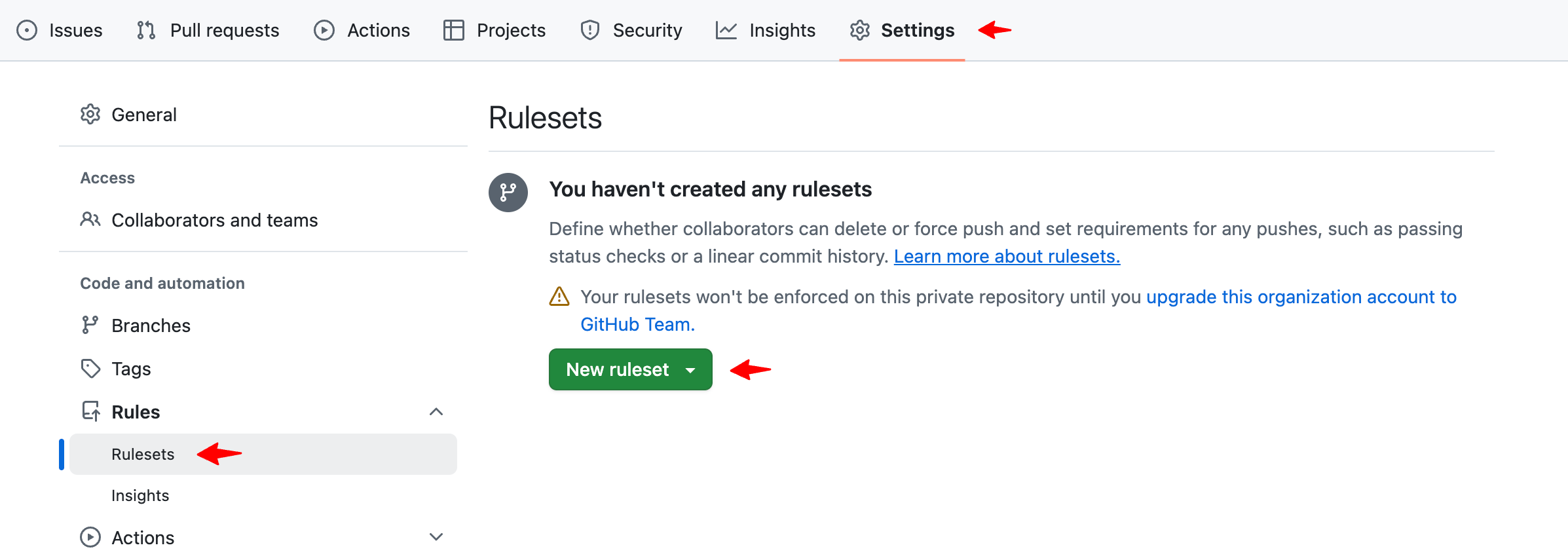
- Go to Settings → Branches.
- Navigate to Rules, click New ruleset.
-
In Branch name pattern, enter:
main(and optionallydev)release/*(if you use release branches)
-
Enable the recommended options:
- ✅ Restrict deletions
- ✅ Require a pull request before merging
- Required approvals: 1
- ✅ Block force pushes
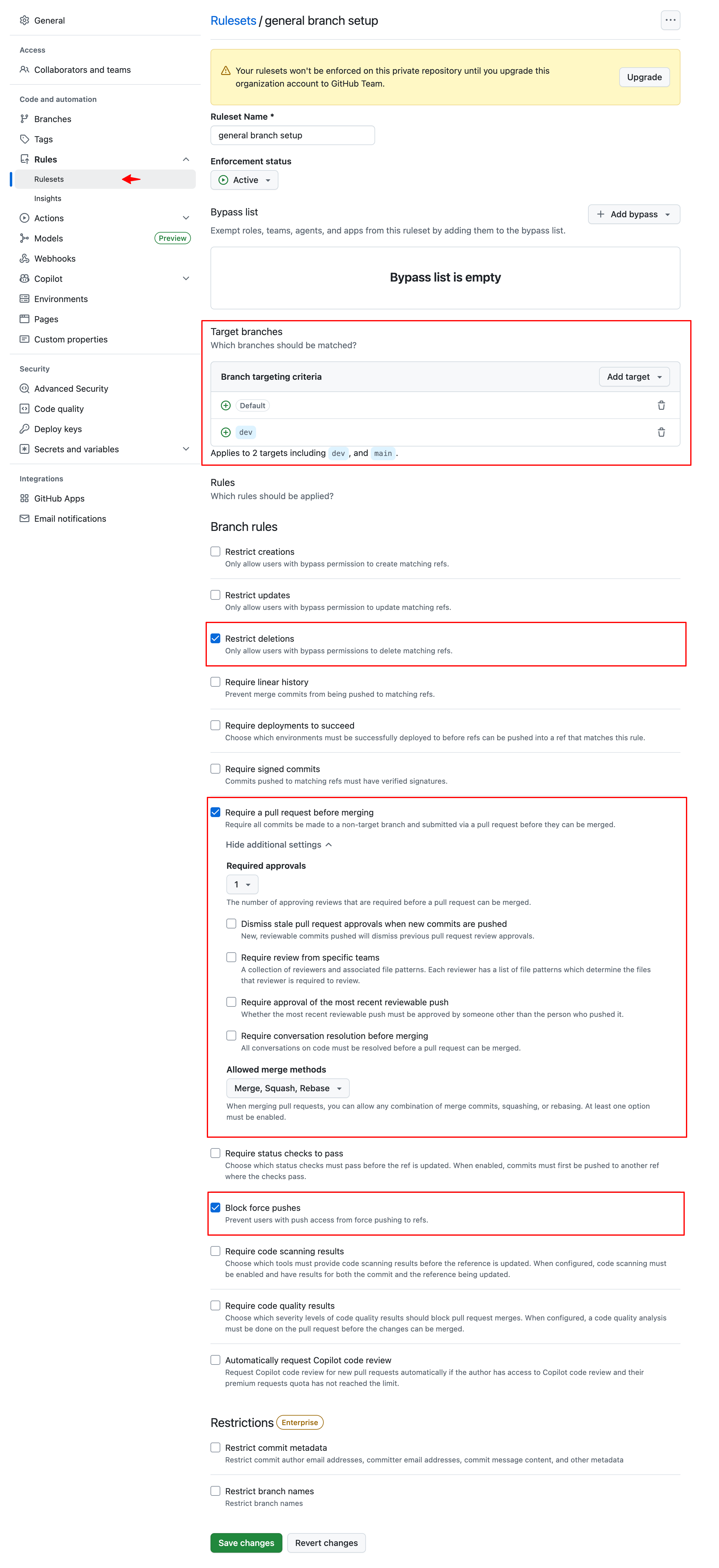
- Click Save changes.
If your CI checks don’t show up in the list, run the pipeline once (or ensure the workflow is enabled) so GitHub can detect the check names.
Troubleshooting
-
“I can’t merge even though everything looks fine”
Check if required status checks are still running or if the branch is out of date withmain. -
“Status check not found”
Ensure the CI pipeline ran at least once and the check name matches the required rule. -
“Admins can bypass rules”
Consider disabling admin bypass (where supported) if you want stricter enforcement.