🧾 Rechnungsassistent Einrichtung / Payables Agent Setup
Payables Agent in Business Central – Nutzeranleitung / User Guide
Deutsch: Diese Anleitung beschreibt, wie der Payables Agent in Microsoft Dynamics 365 Business Central bei der Verarbeitung von Eingangsrechnungen unterstützt. Ziel ist es, Rechnungen aus einem überwachten Postfach schneller zu erfassen, zu prüfen und als Einkaufsrechnungen vorzubereiten.
English: This guide explains how the Payables Agent in Microsoft Dynamics 365 Business Central supports vendor invoice processing. The goal is to capture invoices from a monitored mailbox, review them, and prepare them as purchase invoices more efficiently.
Español: Esta guía explica cómo el Payables Agent de Microsoft Dynamics 365 Business Central ayuda en el procesamiento de facturas de proveedores. El objetivo es capturar facturas desde un buzón supervisado, revisarlas y prepararlas como facturas de compra de forma más eficiente.
Čeština: Tato příručka popisuje, jak Payables Agent v Microsoft Dynamics 365 Business Central podporuje zpracování přijatých faktur. Cílem je rychleji načítat faktury ze sledované poštovní schránky, kontrolovat je a připravovat je jako nákupní faktury.
Slovenščina: Ta navodila opisujejo, kako Payables Agent v Microsoft Dynamics 365 Business Central podpira obdelavo prejetih računov dobaviteljev. Cilj je hitrejše zajemanje računov iz nadzorovanega nabiralnika, njihov pregled in priprava kot nabavnih računov.
1. Zweck des Payables Agent / Purpose of the Payables Agent
Deutsch: Der Payables Agent automatisiert Teile der Eingangsrechnungsverarbeitung. Er überwacht ein definiertes Microsoft 365-Postfach, importiert E-Mails mit PDF-Rechnungen, liest Rechnungsinformationen aus und erstellt daraus vorbereitete Einkaufsrechnungen zur Prüfung.
English: The Payables Agent automates parts of the accounts payable process. It monitors a defined Microsoft 365 mailbox, imports emails with PDF invoices, extracts invoice information, and creates draft purchase invoices for review.
Español: El Payables Agent automatiza partes del procesamiento de facturas de proveedores. Supervisa un buzón definido de Microsoft 365, importa correos electrónicos con facturas PDF, extrae la información de la factura y crea borradores de facturas de compra para su revisión.
Čeština: Payables Agent automatizuje části zpracování přijatých faktur. Sleduje definovanou poštovní schránku Microsoft 365, importuje e-maily s fakturami ve formátu PDF, načítá informace z faktur a vytváří návrhy nákupních faktur ke kontrole.
Slovenščina: Payables Agent avtomatizira dele obdelave prejetih računov. Spremlja določen nabiralnik Microsoft 365, uvaža e-poštna sporočila z računi PDF, prebere podatke z računov in ustvari osnutke nabavnih računov za pregled.
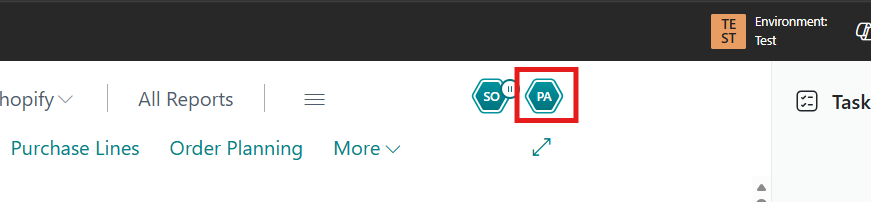
Deutsch: Nach dem Öffnen von Business Central sollte der Payables Agent im Rollen-Center oder über die Suche verfügbar sein. Falls der Eintrag nicht sichtbar ist, wende dich bitte an die Systemadministration.
English: After opening Business Central, the Payables Agent should be available from the role center or through search. If the entry is not visible, please contact system administration.
Español: Después de abrir Business Central, el Payables Agent debería estar disponible desde el centro de roles o mediante la búsqueda. Si la entrada no es visible, contacta con la administración del sistema.
Čeština: Po otevření Business Central by měl být Payables Agent dostupný v centru rolí nebo prostřednictvím vyhledávání. Pokud položka není viditelná, obrať se na správu systému.
Slovenščina: Po odprtju Business Central mora biti Payables Agent na voljo v središču vlog ali prek iskanja. Če vnosa ne vidiš, se obrni na sistemsko administracijo.
2. Voraussetzungen / Prerequisites
Deutsch: Für die Nutzung muss der Payables Agent in der Umgebung aktiviert sein. Außerdem wird ein Microsoft 365-Postfach benötigt, an das Lieferanten ihre Rechnungen als PDF senden. Die zuständigen Nutzer benötigen die erforderlichen Berechtigungen zur Prüfung und Bearbeitung der vom Agenten erzeugten Entwürfe.
English: To use the feature, the Payables Agent must be enabled in the environment. A Microsoft 365 mailbox is also required so vendors can send invoice PDFs to it. Responsible users need the required permissions to review and edit the drafts created by the agent.
Español: Para utilizar la función, el Payables Agent debe estar activado en el entorno. También se necesita un buzón de Microsoft 365 al que los proveedores envíen sus facturas en PDF. Los usuarios responsables necesitan los permisos necesarios para revisar y editar los borradores creados por el agente.
Čeština: Pro použití této funkce musí být Payables Agent v prostředí aktivován. Je také potřeba poštovní schránka Microsoft 365, na kterou dodavatelé posílají faktury ve formátu PDF. Odpovědní uživatelé potřebují příslušná oprávnění ke kontrole a úpravě návrhů vytvořených agentem.
Slovenščina: Za uporabo funkcije mora biti Payables Agent v okolju omogočen. Potreben je tudi nabiralnik Microsoft 365, na katerega dobavitelji pošiljajo račune v obliki PDF. Odgovorni uporabniki potrebujejo ustrezna dovoljenja za pregled in urejanje osnutkov, ki jih ustvari agent.
Screenshot: Konfiguration des überwachten Postfachs anzeigen.
Deutsch: Das überwachte Postfach ist die zentrale Eingangsstelle für Lieferantenrechnungen. Bitte achte darauf, dass Rechnungen möglichst als PDF-Anhang eingehen und nicht nur als Text in der E-Mail enthalten sind.
English: The monitored mailbox is the central entry point for vendor invoices. Please make sure invoices are received as PDF attachments whenever possible and are not only included as text in the email body.
Español: El buzón supervisado es el punto central de entrada para las facturas de proveedores. Asegúrate de que las facturas se reciban, siempre que sea posible, como archivos PDF adjuntos y no solo como texto en el cuerpo del correo electrónico.
Čeština: Sledovaná poštovní schránka je centrálním místem pro příjem faktur od dodavatelů. Dbej na to, aby faktury byly pokud možno přijímány jako přílohy PDF a nebyly uvedeny pouze jako text v e-mailu.
Slovenščina: Nadzorovani nabiralnik je osrednje vstopno mesto za račune dobaviteljev. Poskrbi, da so računi po možnosti prejeti kot priloge PDF in ne samo kot besedilo v e-poštnem sporočilu.